


Get Unstoppable Sammy On Your E-Reader
Follow these steps to move your eBook onto your Kindle or favorite reading app.
1
Your Download Has Started
Clicking the download button on your Dashboard already started downloading Unstoppable Sammy Ebook.epub to your device. Check your Downloads folder (or wherever your browser saves files) to find it.
2
Head To Amazon’s Send To Kindle Page
Amazon has a free tool called Send to Kindle that lets you upload the EPUB file straight into your Kindle app or device — no extra software required if you’re using a web browser.
Go To Send to Kindle →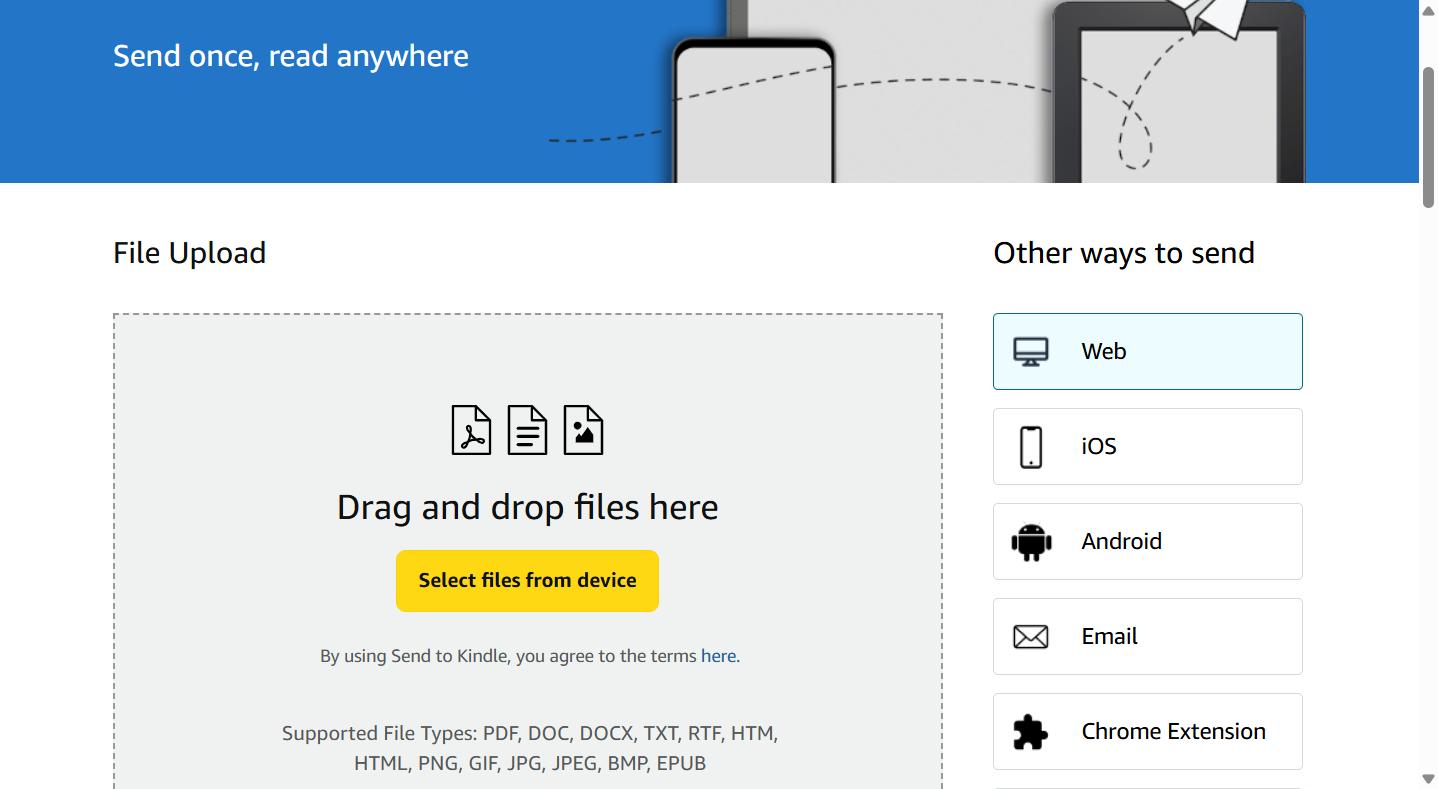
1
2
1. Click “Select files from device” (or drag-and-drop) and choose the EPUB you downloaded.
2. Keep “Web” selected here — since you’re already in your browser, there’s nothing extra to install.
3
Sign In & Send It To Your Kindle
Sign in with your Amazon account if it asks you to, choose which Kindle device or app you’d like to send the book to, then click Send.
4
Open Your Kindle App & Enjoy!
Open the Kindle app (or your Kindle device), look for Unstoppable Sammy in your library, and start reading!